Best Desk Placement for a Home Office With a Window
Compare practical desk directions, screen glare, camera backlighting and circulation before arranging a window-side home office.
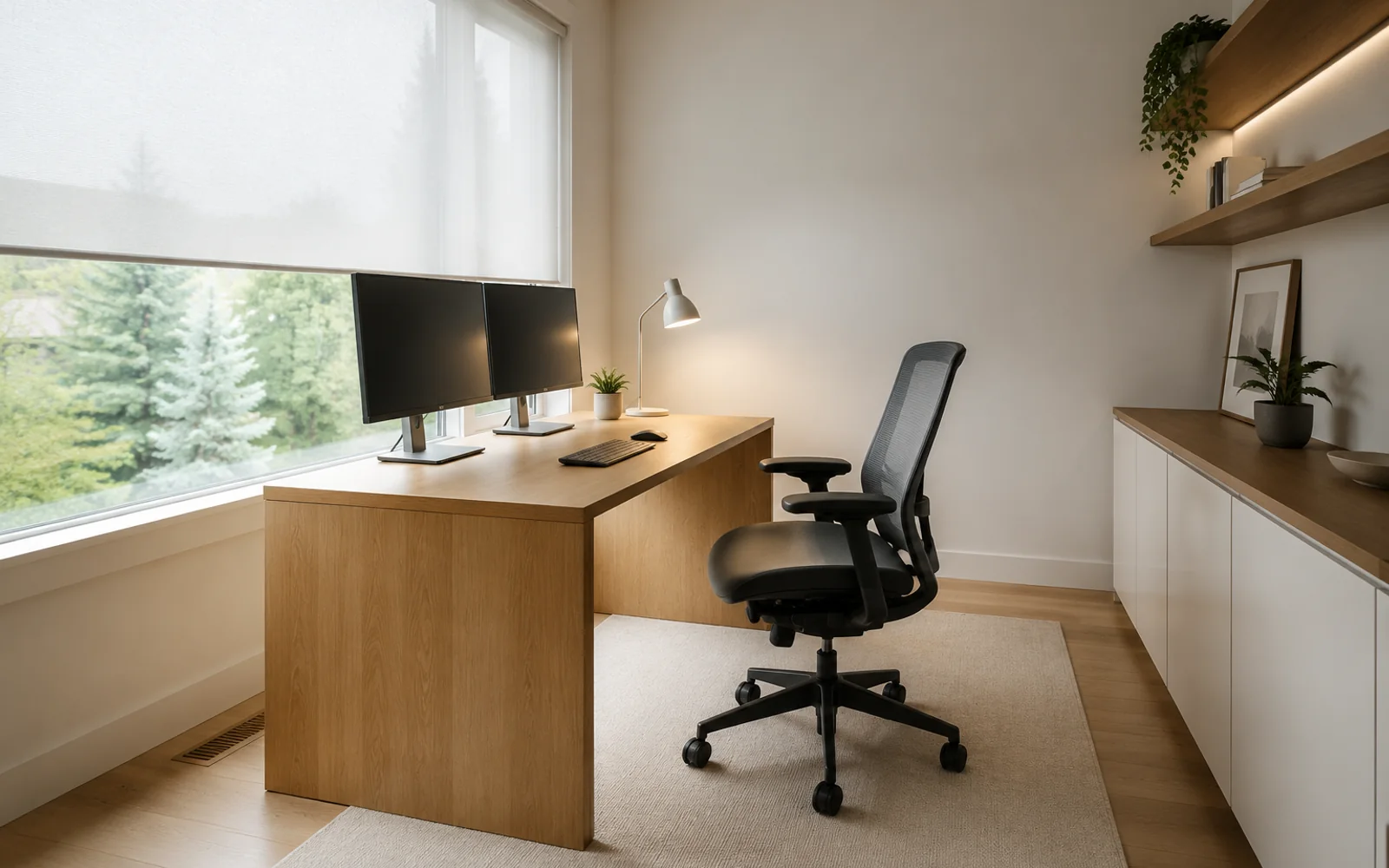
The best desk placement for a home office with a window usually puts daylight beside the monitor, not directly in front of it or behind it. A side-lit desk reduces the contrast between a bright window and the screen, makes glare easier to control, and keeps the window from turning into a white background on video calls. That is the starting rule, not a universal answer: the door, wall length, chair clearance and time of day still determine whether the layout works.
Compare the three common directions
Desk perpendicular to the window
This is the most reliable first option. The window sits to the left or right of the screen, so daylight reaches the desk without pointing straight into your eyes. It also leaves the wall behind the monitor available for a controlled task light or calm background.
Check two details before committing:
- Put the monitor slightly farther from the glass than the keyboard so reflections do not land across the center of the screen.
- If you write by hand, place the window on the opposite side from your writing hand to reduce shadows across the page.
Desk facing the window
Facing the view can feel open, but it creates a large brightness difference behind the screen. Your eyes repeatedly adapt between the monitor and daylight, especially in the afternoon. A deep desk, adjustable blind and strong monitor brightness can help, but this direction is rarely the easiest for long dual-monitor sessions.
Desk with your back to the window
This often creates the worst screen reflection and makes video calls difficult because the camera sees a bright window behind you. It can still work when the window is shaded, the desk is far from the glass and the monitor angle is adjustable. Test the setup at the brightest time of day, not only in the evening.
Protect circulation as well as light
A glare-free desk is not useful if the chair blocks the door. Keep the route from the doorway to storage visible and preserve enough space to pull the chair back without hitting a wall. If the desk is perpendicular to the window, make sure its outer corner does not become an obstacle in the main path.
The home office with window layout page starts with a window-aware Concept Layout and shows a real case in which the desk is rotated away from direct glare. You can also review the window-side Scandinavian example to see the constraints and three decisions attached to the result.
A quick test before moving furniture
- Sit where the chair would be at the brightest hour.
- Hold a dark phone or tablet where the monitor will sit and look for reflections.
- Open the door fully and trace the route to the chair and storage.
- Start a video preview and inspect the wall behind you.
- Check whether blinds can control the light without making the room dark all day.
When the room is awkward, upload one to five photos to the AI home office design tool. Choose Concept Layout when desk direction and circulation are the question; choose HD Render when you already know the placement and want to compare a finished visual direction. The result is a visual planning concept, so verify measurements before buying or installing furniture.
Reviewed 17 July 2026. OfficeDesign does not replace measured drawings or lighting calculations.